
When creating a new assignment, you have the option to attach a file, such as a detailed outline or supporting data.
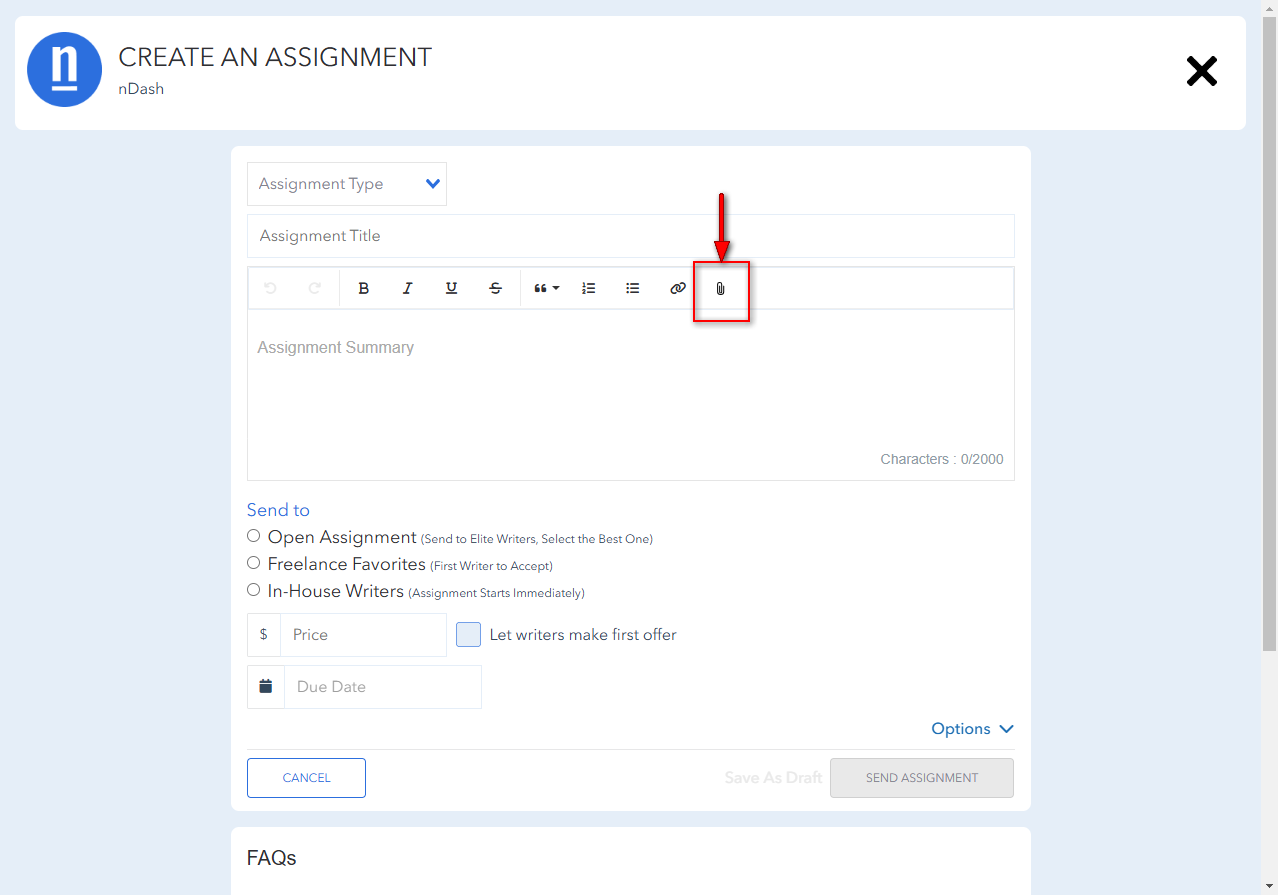
To do so, on the ‘create an assignment’ screen, simply click on the paperclip icon:
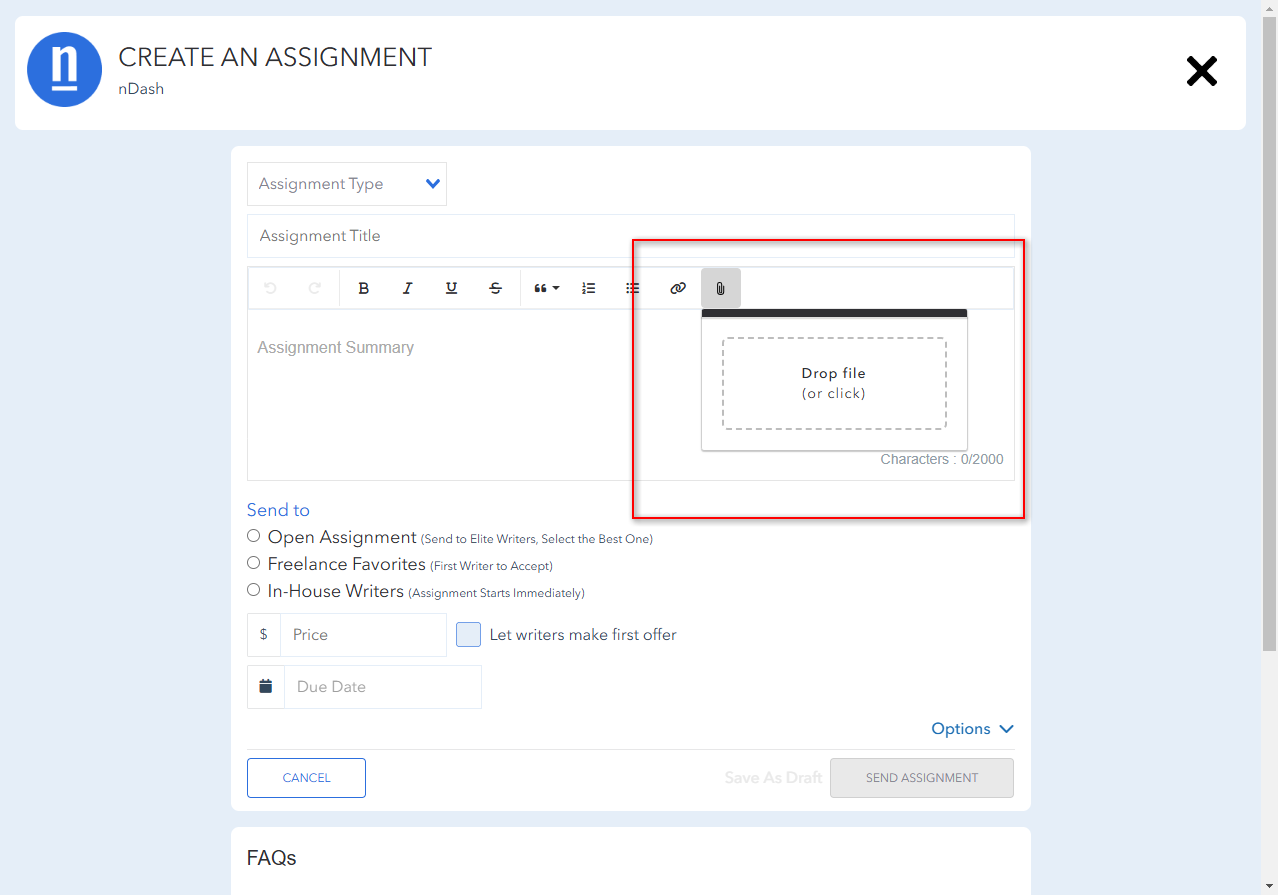
 This will let you either drag-and-drop or click to select the file you’d like to add.
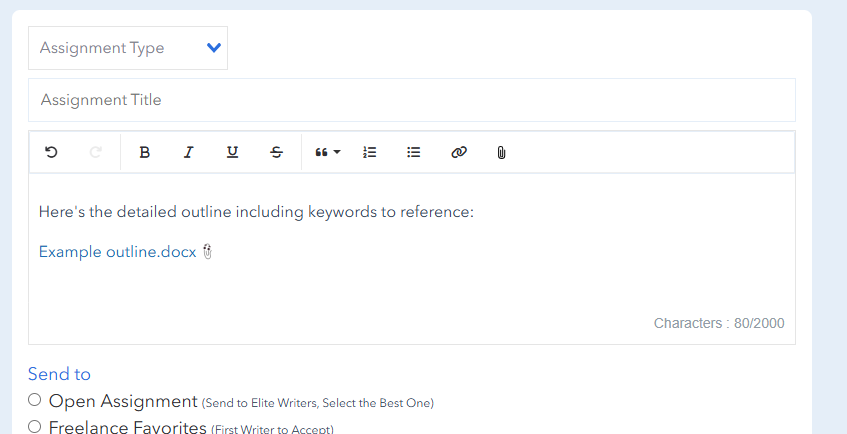
 Once you select and upload the file you’d like to include, the platform will automatically upload and insert a link within the assignment summary.
 From there, simply complete the form and send the assignment!