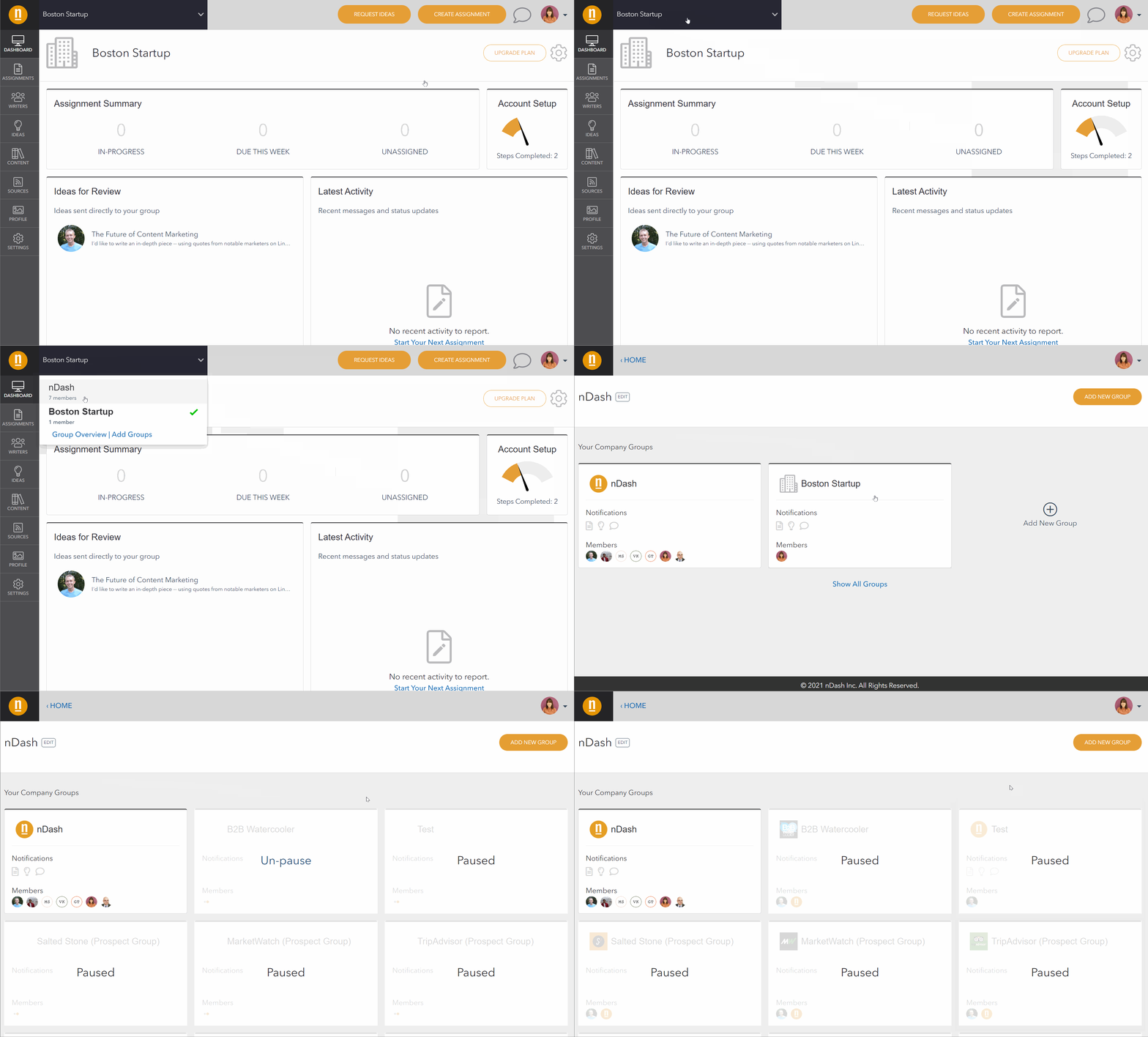
Once you’ve been added to one group in your company account, you’ll be able to manually add yourself to other groups that you did not create.
To do this, click your company name on the top left corner of your dashboard. On that dropdown menu click Group Overview | Add Groups.
On this new page, click Show All Groups on the bottom of the screen. If that text is NOT visible, this means that only the one group has been created. If it is, then you’ll be able to see every group that (a) you are not on or (b) has been paused.